Templates and dimensions
Find the right packaging shape and fit it to your product
 JetDieline
Sample project / JETDIELINE
A worked example from JetDieline: a tuck-end box with a 52 × 52 × 140 mm inside dimension, made from 300 g/m² folding carton board. All figures and images on this page come from the app's real output. The check in JetDieline does not replace approval by your printer.
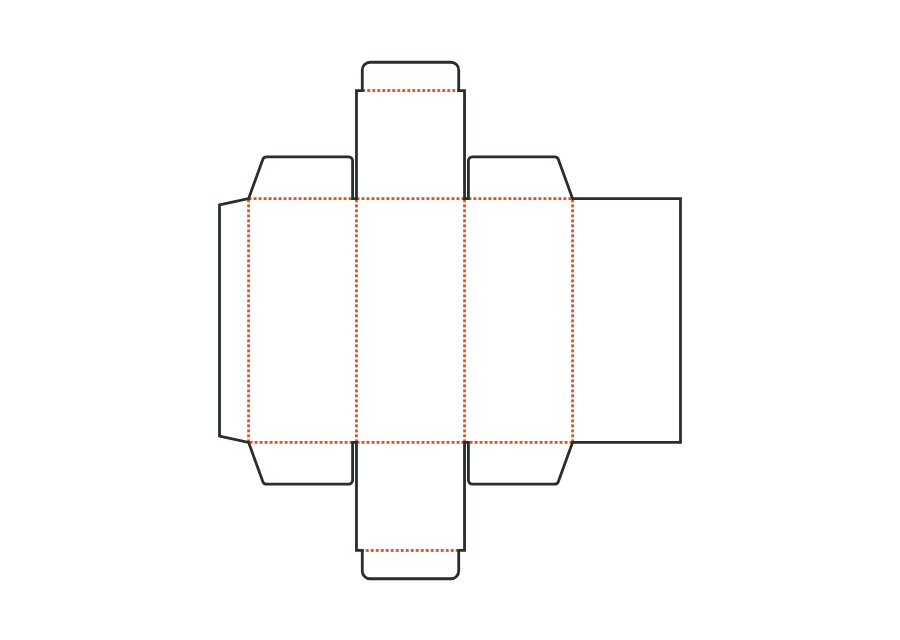
You start with the template “Tuck-end box straight” and enter the inside dimension: 52 × 52 × 140 mm. The stored material is 300 g/m² folding carton board; the production is digital printing in small runs on a cutting table of 750 × 530 mm. From these details the dieline is created, with separate cut and crease lines, glue flap, dust flaps and tuck flaps. The example is included in the app as a finished project.
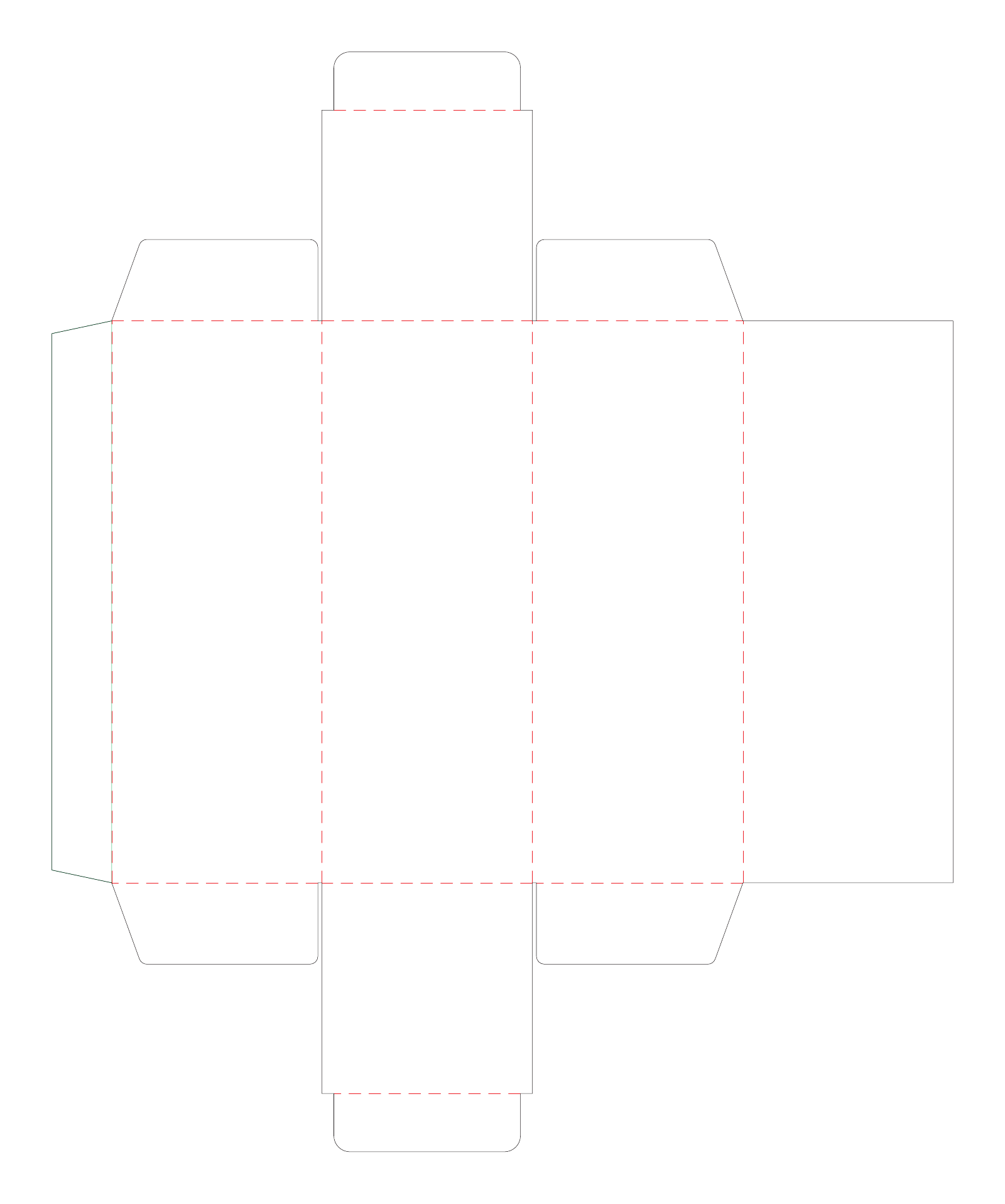
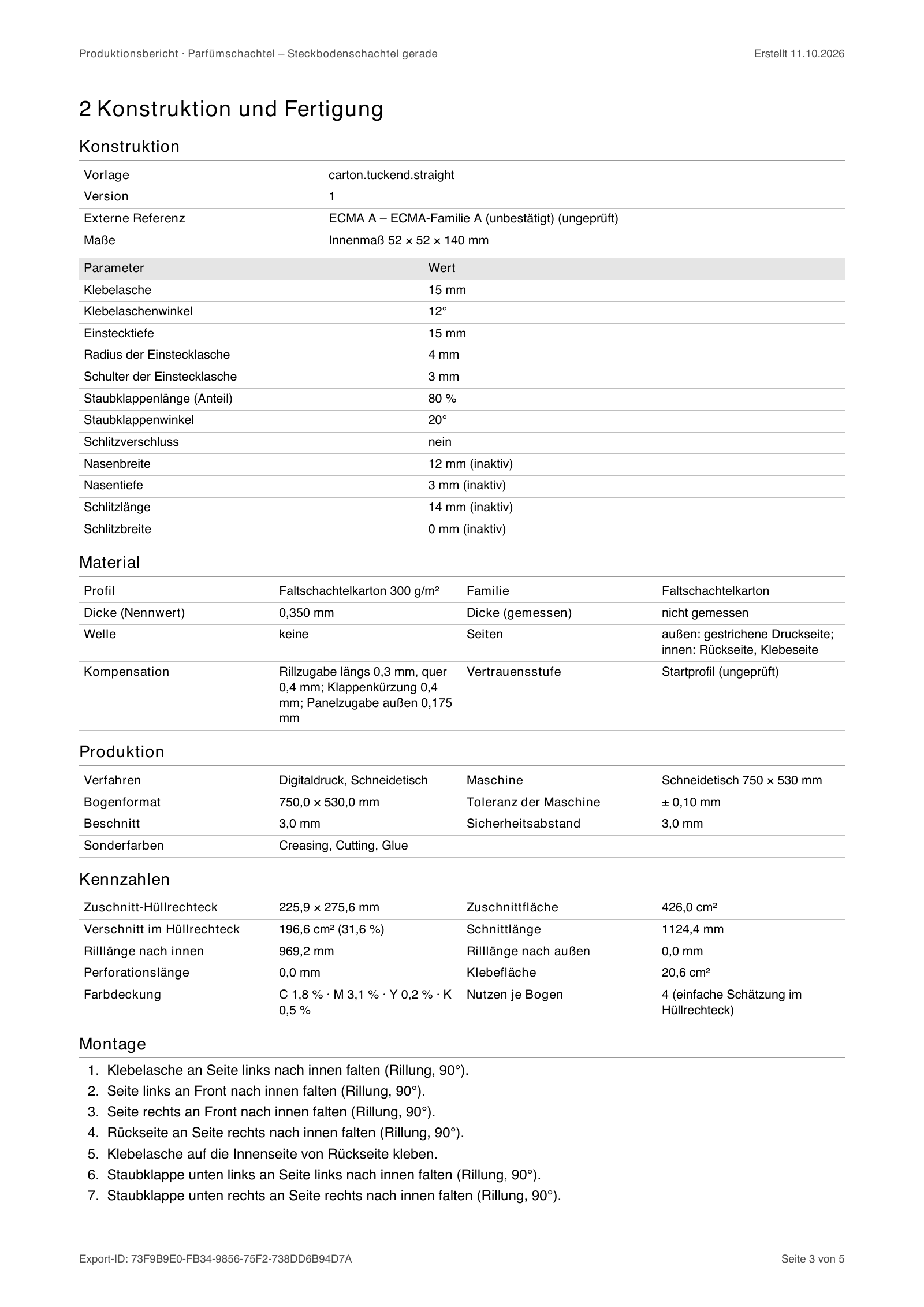
JetDieline calculates the blank from the dimensions and states the key figures for it. The blank of the perfume box fits into a bounding rectangle of 225.9 × 275.6 mm and has an area of 426.0 cm². Cut length, crease length and glue area appear in the production report alongside the construction parameters, such as a 15 mm glue flap and 15 mm tuck depth. The fold check compares the folded body with the outside dimension of 52.7 × 52.7 × 140.7 mm.
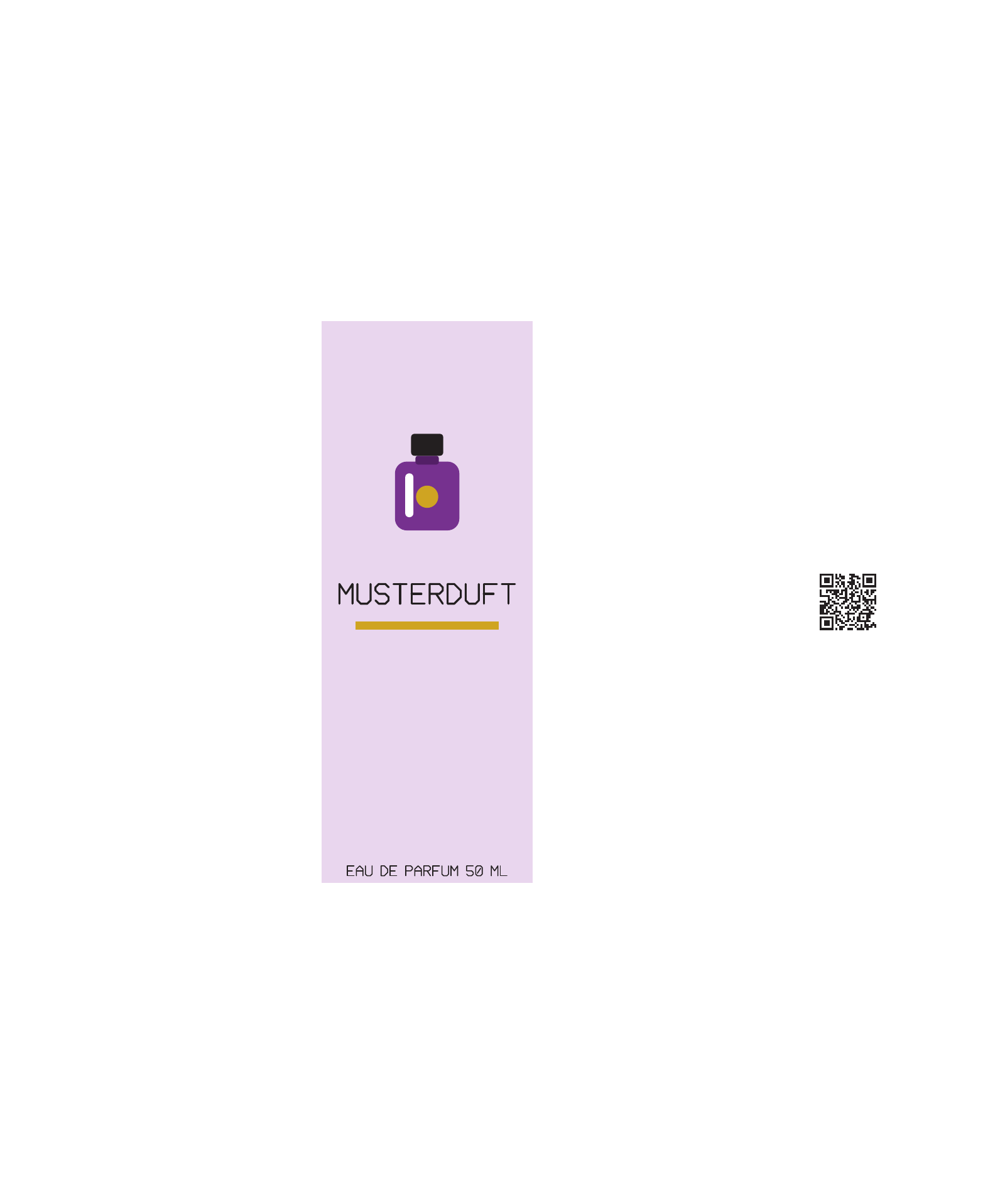
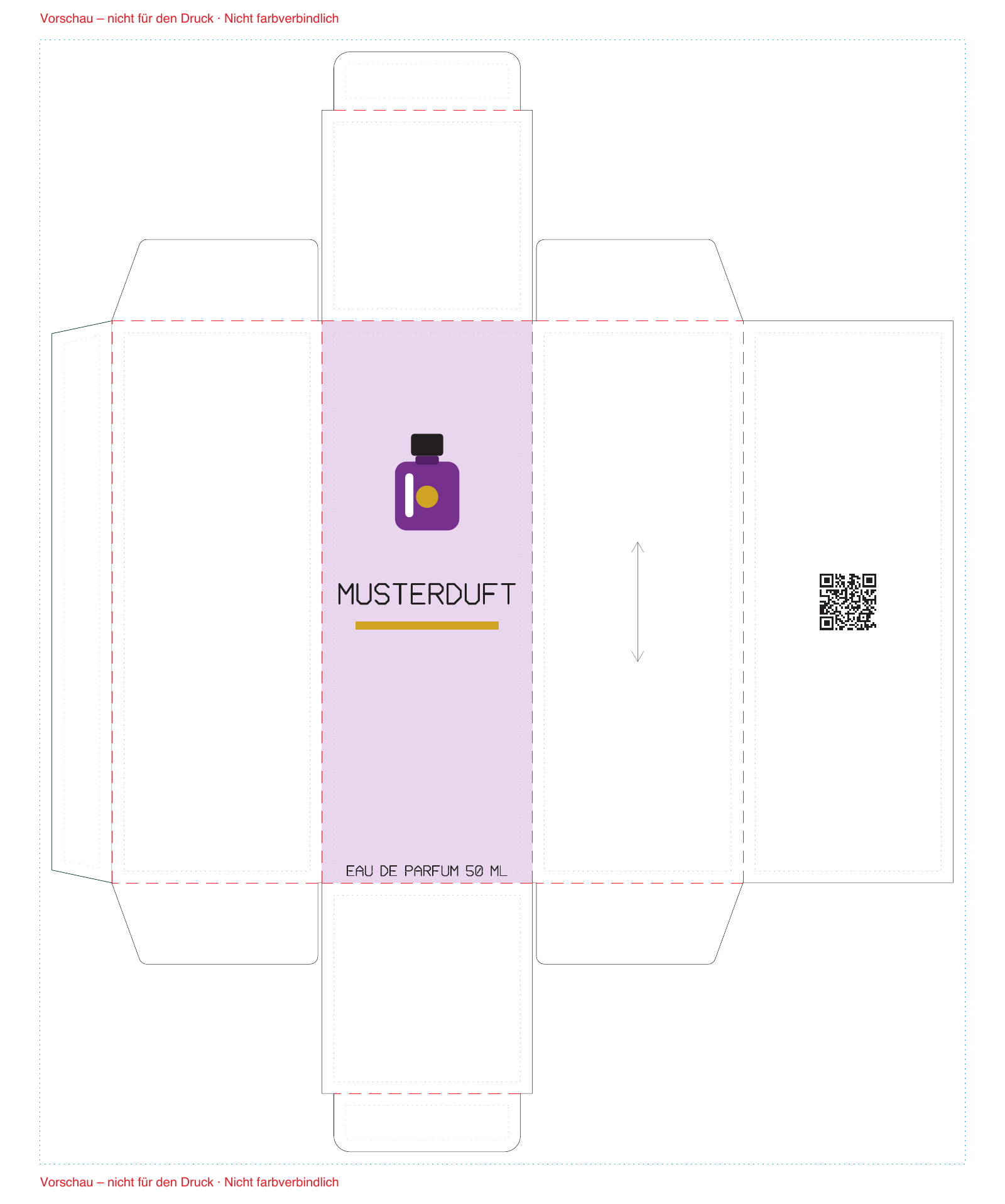
The artwork lies as its own layer above the construction. In the example there are six elements: background, colour band, logo, product name, information text and QR code. The front carries a colour area with logo and the name “MUSTERDUFT”; the QR code sits on the back. The artwork PDF contains only the print data without cut lines. Text is output as outlines, and the colours are set up as CMYK process colours.
Before export, JetDieline checks geometry, manufacturability and print data. The example reports two findings. One warning: the information text on the front lies 1 mm from the crease, while the safety zone is 3 mm. In the example this is intentional so that you can see the finding. Plus a note: the material profile uses starting values and is not calibrated. Neither finding blocks the export. The check does not replace approval by the printer.
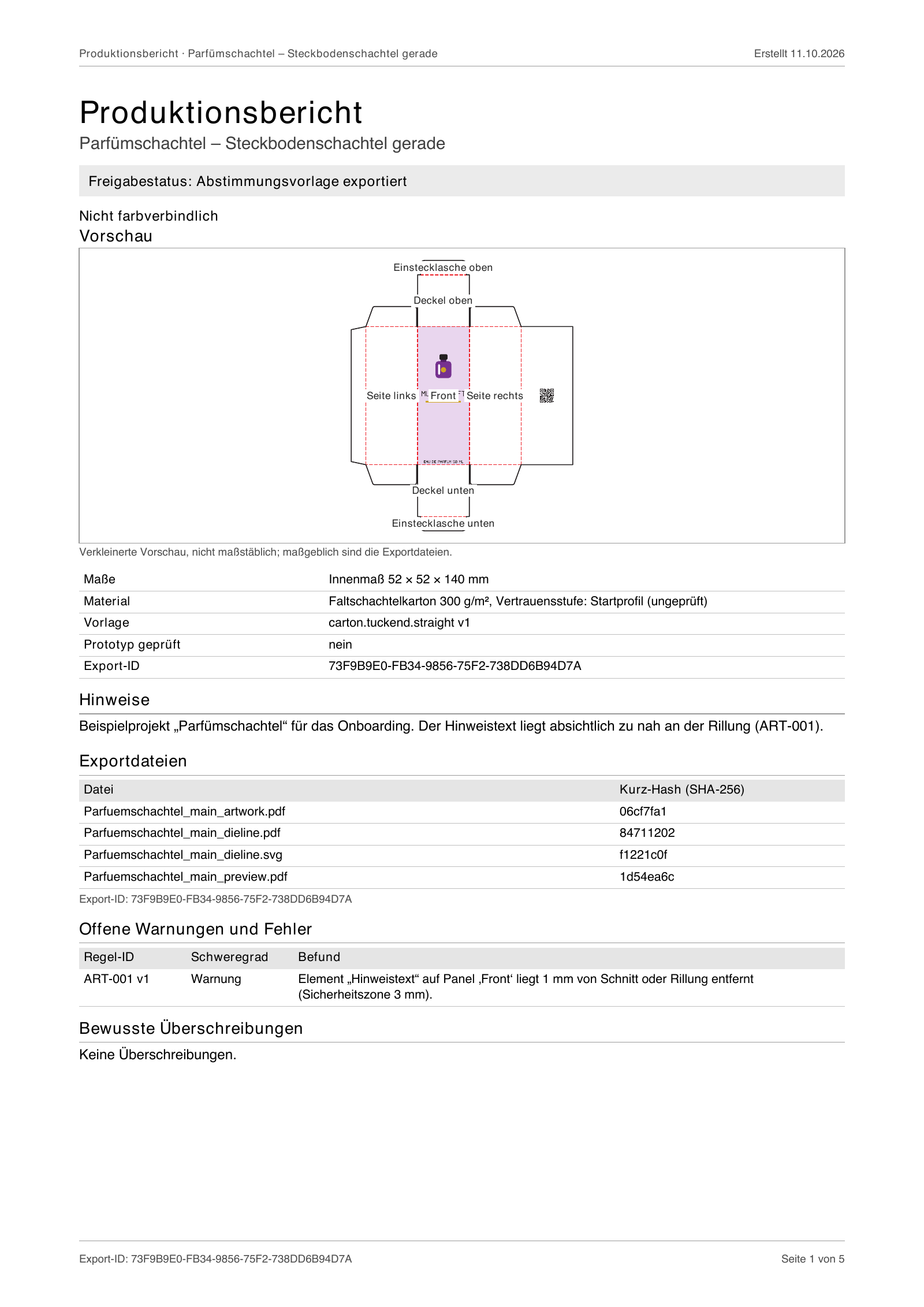
One export writes six files: artwork PDF, dieline as PDF and SVG, preview PDF, a five-page production report and a manifest. The preview lays artwork and cut lines on top of each other and is marked “not for print.” The report lists the files with short hash, all findings, colours, the 13-step assembly, and an approval field for client and printer. A shared export ID links the files.
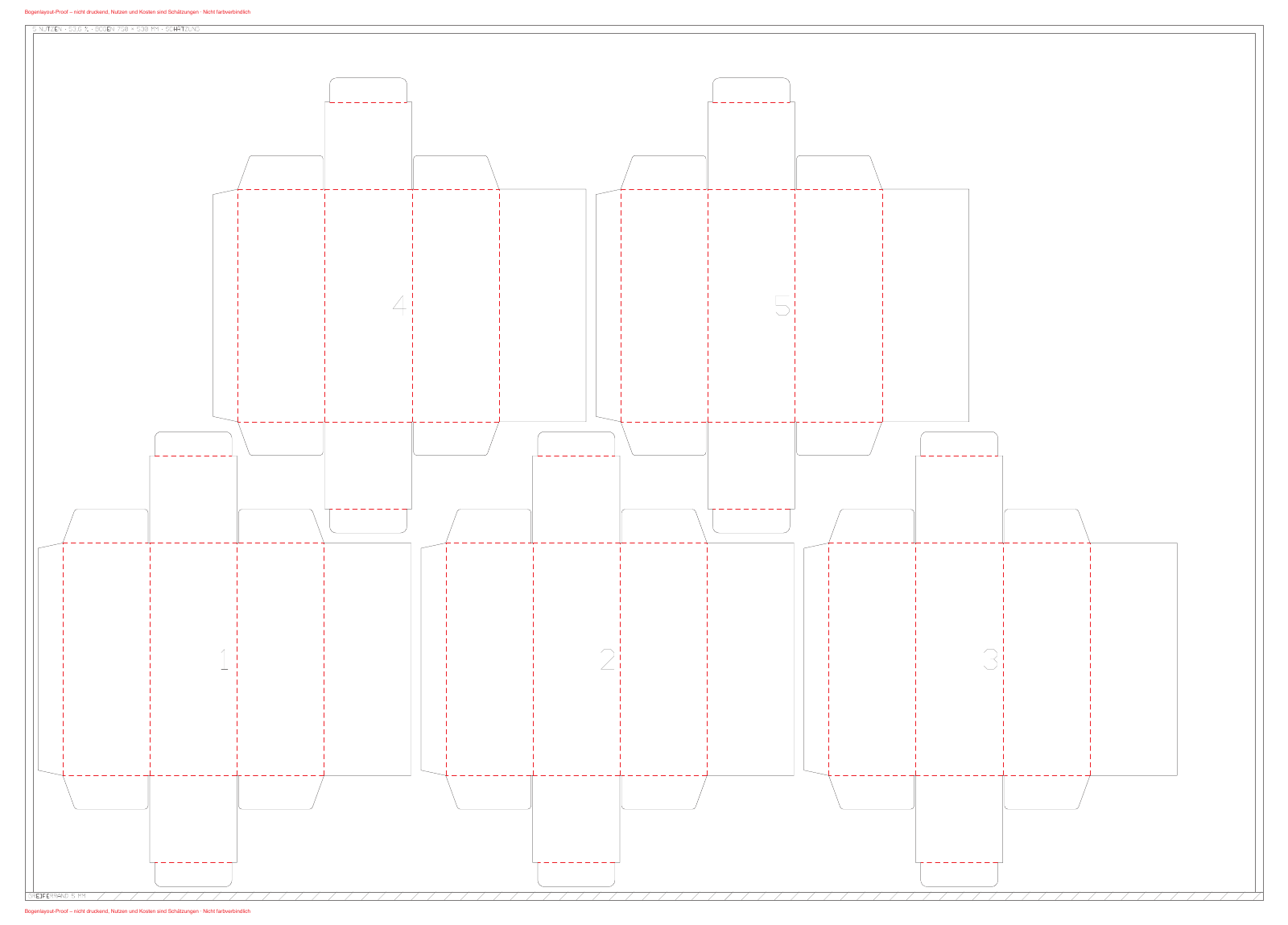
The up calculation places the actual outer contour of the blank onto the machine sheet. On 750 × 530 mm, the example fits five ups, in offset rows and with a 6 mm gutter. The simple grid of the bounding rectangles would fit four. Sheet utilisation is 53.6 %. Gripper margin, sheet margin and gutter are starting values; the grain direction of the sheet is not fixed. Clarify these details with your printer. The sheet layout is a non-printing proof.
Yes. Dimensions, key figures, findings and file list come from the output of JetDieline 1.0.0 for the bundled example project “Perfume box.” The images are rasterized pages of the exported PDF files.
The information text is deliberately placed 1 mm from the crease, although the safety zone is 3 mm. This way you see how the check reports a finding (ART-001). The warning does not block the export and appears in the report under open warnings.
No. The production report itself states this: print approval and physical dimension check remain with you and the printer. The preview is not colour-accurate, and the material profile of the example uses unchecked starting values.
The report simply estimates using the bounding rectangle of the blank and arrives at four. The up calculation works with the actual outer contour, offsets the rows and reaches five. Both values are estimates; margins and gutter are starting values.
The dimension model states 52.7 × 52.7 × 140.7 mm for a 52 × 52 × 140 mm inside dimension and 0.35 mm board thickness. The fold check confirms the folded body within the tolerance of 1.2 mm. A manufactured prototype was not measured for this.
Yes. You can change the project's dimensions; the app recalculates the construction and explains the change. Key figures, findings and ups then apply to your dimensions and will differ from the values on this page.
Find the right packaging shape and fit it to your product
Design the artwork directly on the real dieline
Spot problems before you pass on files
Files your printer can trace
See how many blanks fit on one sheet
Blank, creases and flaps are calculated from inside dimensions. The results are artwork PDF, production dieline and production sheet for the printer.
carton.tuckend.straightView templateWith JetDieline, choose a suitable template, adjust its size, and place text, logos, and images directly on your packaging.
Try your dimensions