Checks
Spot problems before you pass on files
 JetDieline
Features / JETDIELINE
You start with a finished construction rather than a blank canvas. The catalogue contains 113 entries. After choosing one, you enter your dimensions and the dieline adjusts to match.
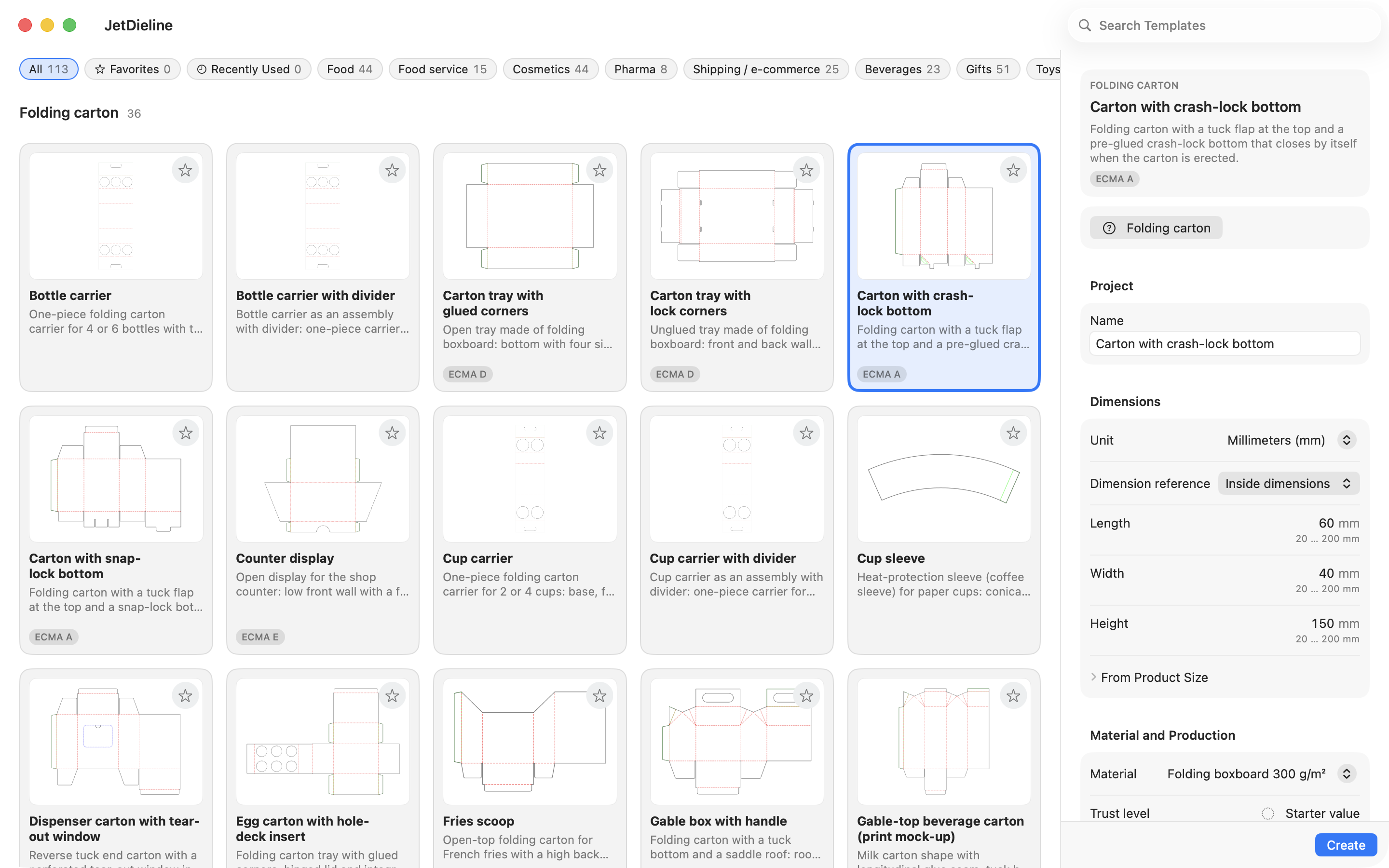
The catalogue covers 108 constructions and 5 assemblies made up of several parts, arranged in 14 families. These include folding cartons, corrugated shipping boxes, mailers, sleeves, trays, displays, envelopes, labels, pouches and rigid boxes. You can filter by 15 applications, for example food, cosmetics or shipping.
Every template is built parametrically. Change the length, width and height, and the cut and crease lines are recalculated. You define whether a dimension refers to the inside, the outside or the crease line. That keeps it clear what will actually fit into the box.
The product fit calculator starts from the product. Enter the product dimension and the clearance you want, and you get the matching box dimensions. Units are millimetres, centimetres and inches.
Each template has a sensible dimension range. If an entry makes the construction unusable, the check shows a finding with an explanation. Confirm the actual manufacturability with your printer.
The constructions are our own templates. For corrugated board, some follow common FEFCO styles and are similar to them. The binding reference is your printer's dimension sheet.
JetDieline supports you with construction, design and checks. It does not replace approval by your printer or a built sample. On-screen and 3D displays are not colour-accurate.
Spot problems before you pass on files
Create one pack in several sizes
Files your printer can trace
With JetDieline, choose a suitable template, adjust its size, and place text, logos, and images directly on your packaging.
Try your dimensions Download on the Mac App Store