Return width
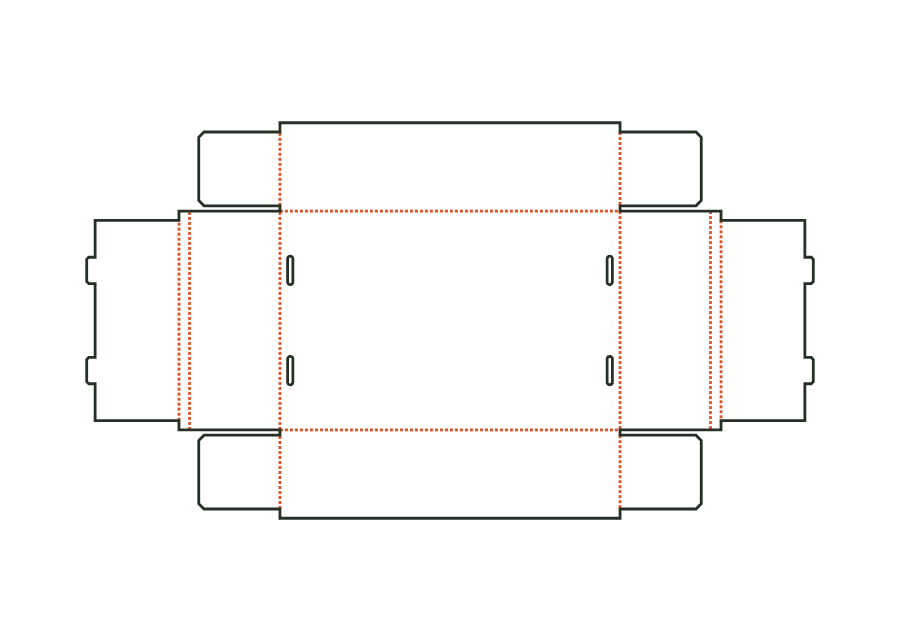
Width of the double wall's return (crease to crease); accommodates the flaps in the pocket.
 JetDieline
Corrugated shipping boxes / JETDIELINE
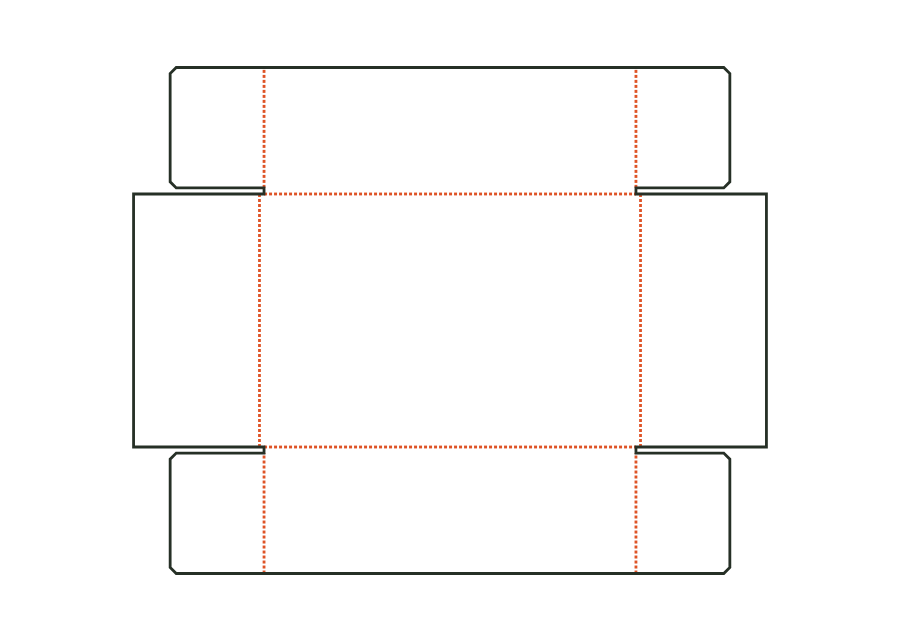
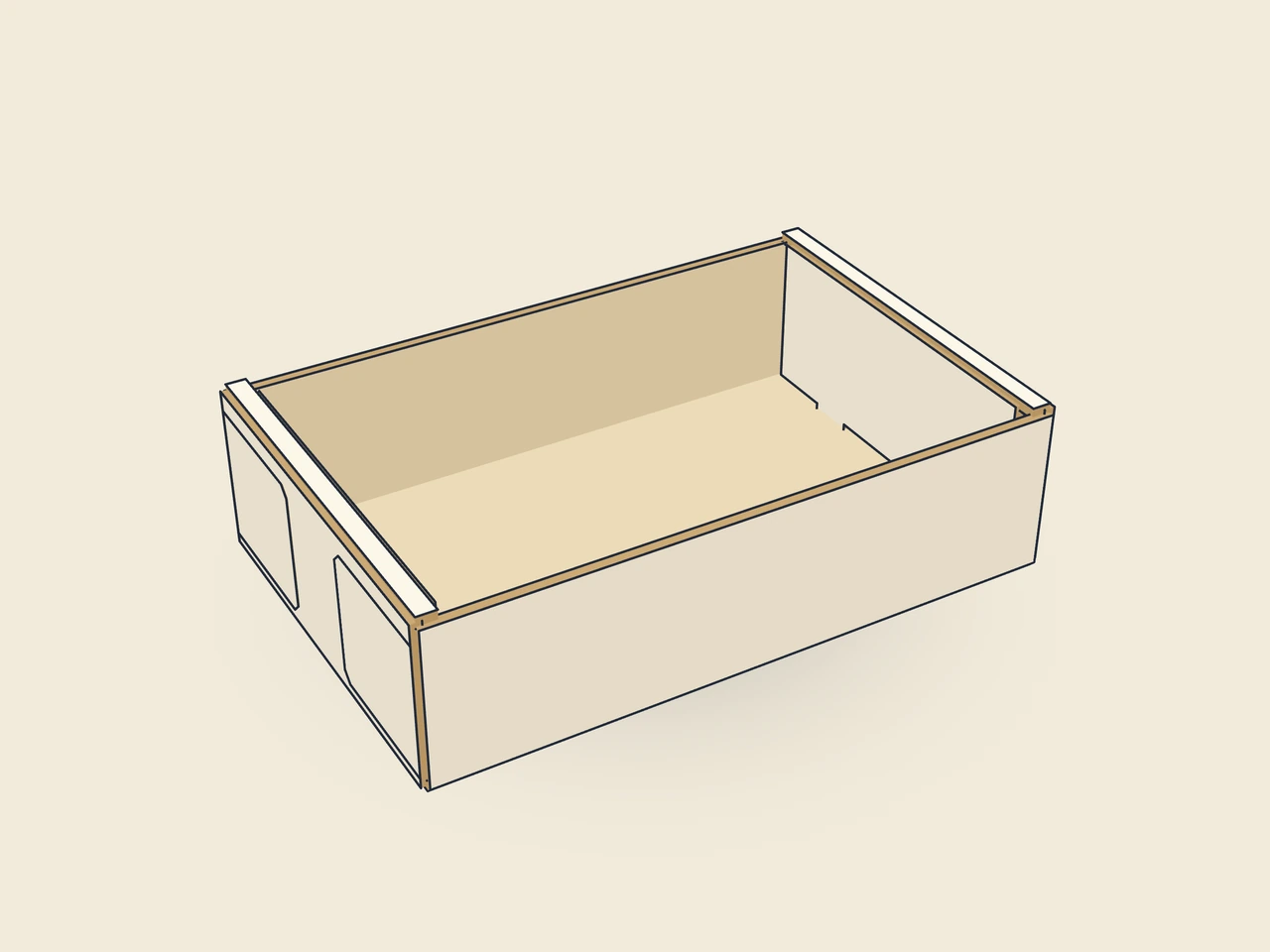
An open corrugated tray with double end walls and interlocking corners. The blank is erected without adhesive; this page shows the custom V2 construction with B flute.
Drag to rotate
03 / BOX
Simplified display model without material thickness, not to scale.
The 3D view is not available in this browser. The image shows the folded shape.
corrugated.trayThe bottom sits centrally. Front and back walls have corner flaps that sit in the pockets of the double end walls. Tabs on the inner walls engage in oblong slots in the bottom. V2 sets the return to 10 mm and slot width to 5 mm; V1 remains for older projects.
Erect the front and rear walls and fold the corner flaps inwards. Erect the end walls over them, fold the fold-over inwards so that the corner flaps sit in the pocket, and insert the locking tabs into the base slots.
Grain direction vertical on the blank (check)
Test fit, folding and closure on a sample made from the intended material. Confirm material thickness, grain direction and production steps with your printer.
Inside dimension
These dimensions describe the preview, not a fixed packaging size. The app recalculates the dieline for your own dimensions.
Width of the double wall's return (crease to crease); accommodates the flaps in the pocket.
Gap between adjacent flaps or walls; at least about the material thickness.
Length of the ears or corner flaps as a proportion of half the inside width.
Number of locking tabs per wall.
Width of a locking tab.
No. The corner flaps sit in the pockets of the double end walls. The inner wall tabs lock into the base. For this template, this construction replaces corner gluing. Check engagement and wall alignment on the target material; the calculated blank alone confirms neither holding force nor load capacity.
lockTabCount offers one to four tabs per wall. More tabs need space, as do their width and the gaps between them. lockTabWidth.fitsInnerWall checks this combination. Change count and width together and check on the sample that all tabs engage the base slots simultaneously without deformation.
The slot must accommodate the material thickness while maintaining clearance from the wall crease. slotWidth.materialMinimum.caliper and slotWidth.atMost.clearOfHinge check both limits. Increasing slot width alone can weaken the lock. Check the tab's fit with the chosen fold-over width on the real corrugated blank.
Find the right packaging shape and fit it to your product
Design the artwork directly on the real dieline
Spot problems before you pass on files
Files your printer can trace
Base and lid form a two-piece corrugated construction with glued corner flaps. Both components have their own dieline; the lid is derived from the base's outside dimension and clearance on each side.
corrugated.telescope.baseView templateFour walls with a glue flap and bottom flaps, open top: the half slotted container can be used as a shelf box or base. The custom parametric construction calculates only this open box body.
corrugated.halfslottedView templateThe outer flaps each cover the entire opening at the top and bottom and lie on top of each other. This custom corrugated construction calculates full coverage rather than just a narrow overlap strip.
corrugated.rsc.fulloverlapView templateAn adjustable strip connects the outer flaps at the top and bottom. The template calculates flap lengths, material layers and blank from the box dimensions and desired overlap.
corrugated.rsc.overlap.outerView templateWith JetDieline, choose a suitable template, adjust its size, and place text, logos, and images directly on your packaging.
Try your dimensions