Checks
See problems before you pass on files
 JetDieline
Features / JETDIELINE
Artwork and dieline go into production cleanly separated. A check report and a manifest document what was exported and at which version.
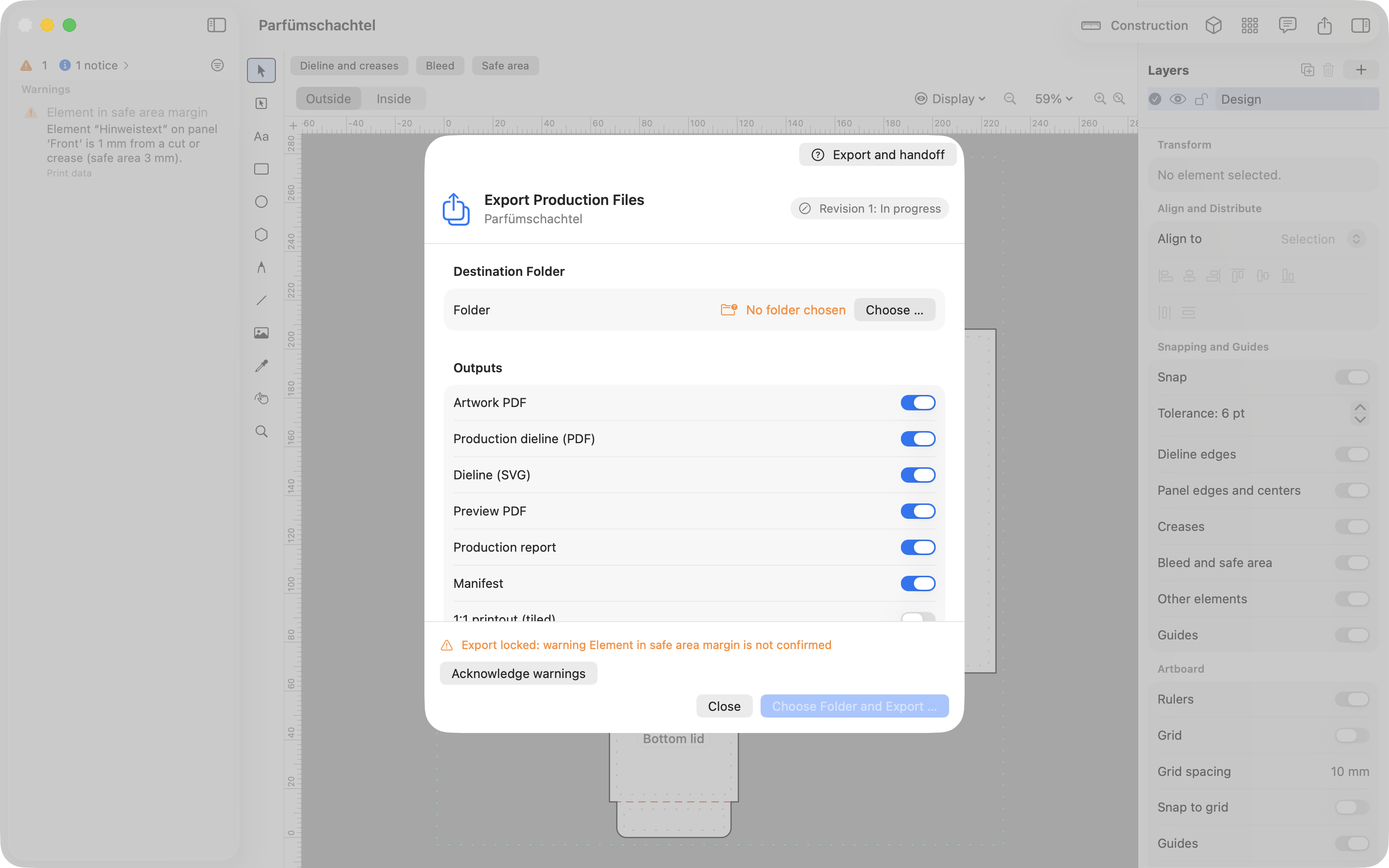
You export the artwork as PDF and the dieline as its own file. The dieline is available as PDF, SVG, and DXF. The app also creates a combined PDF for the printer and PDF/X-4 with its own ICC profile.
The check report lists all findings and justified deviations. The export manifest records the template, version, dimensions, and files. Approval states with revisions show which version was agreed.
An inquiry package combines files and report into a ZIP archive and creates an email draft. You can open the dieline directly in Illustrator, Affinity, or Inkscape if you want to keep working there.
Cut, crease, and perforation lines are provided separately and clearly named. This lets the printer assign them to their tools.
No. The app does not access the network. It creates the package and an email draft, and you send both yourself.
JetDieline supports you with construction, design, and checking. It does not replace approval by your printer or a built sample. Screen and 3D displays are not color-accurate.
See problems before you pass on files
Create one package in several sizes
See how many blanks fit on one sheet
With JetDieline, choose a suitable template, adjust its size, and place text, logos, and images directly on your packaging.
Try your dimensions